|
The following suggestions will solve most of the problems that you might have with the corpora. First, though, if you are
unable to log in, or if you see messages about "expired sessions", or if you get strange
error messages when you do a query,
just
click on the corpus name at the top of the screen to reset the corpus.
If that doesn't work, then close the browser completely, open it again, and start over.
|
Bottom line: please don't send emails about problems (especially
logging in or strange error messages) until you've restarted the corpus and/or restarted your browser. |
Specific problems:
For questions about how to use the corpora, use
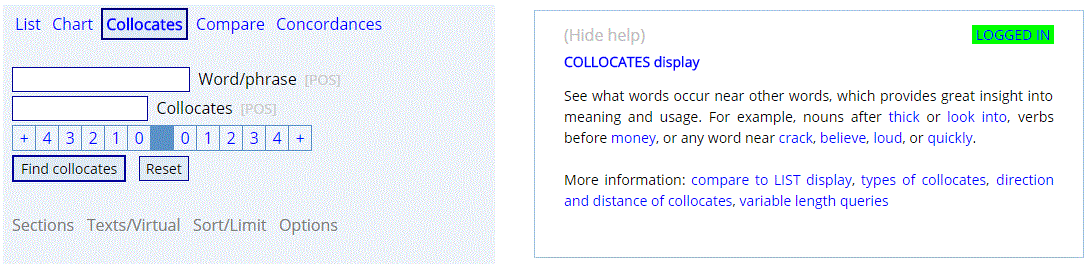
the many context-sensitive, online help files for the corpora.
Just click on anything in the search form to see an explanation to
the right. If you are using a mobile device, the help file will
probably appear in the rightmost tab.
If you have
already looked at the help files and still have questions, or if you have noticed
obvious errors or bugs, then feel free to contact us:
 But to help
us troubleshoot the issue, you need to include the following:
But to help
us troubleshoot the issue, you need to include the following:
|
1. The email address that you are using to log in
2. A
link to one of the queries that isn't working (if that's an issue). (Click
on
 at the top of the corpus.)
3. A clear explanation of what's happening,
e.g. "I'm using corpus ---, am at page ---, then I click on ---, then I see ---,"
etc. 1
4. A screen shot (as an attachment in your email), so that
we can see what you see
(Help: Windows,
Mac)
|
|
If you just send us a general email like "I
can't log in" or "I'm getting an error message", and you don't include the information above (at least
#1-4), then we
probably can't help you. As of late, our
ESP and
remote viewing abilities aren't working quite as well as we'd like,
and it's getting increasingly hard for us to read your mind or see your
computer screen from thousands of miles away; hence the need for the
information above. :-) :-) |
1 To find the page location, right click and then
"View Frame Source" in Chrome or Edge, or "This frame: View Frame Info" in Firefox; similar
options in other browsers. Note that all pages end in .asp, e.g.
https://www.english-corpora.org/coca/x2.asp.
|